

Resume Format for Freshers in India: Structure, Examples & ATS Tips
Overview: The complete resume format guide for Indian freshers. Learn the ideal section order, summary writing, project framing, ATS-friendly formatting, and common mistakes to avoid.

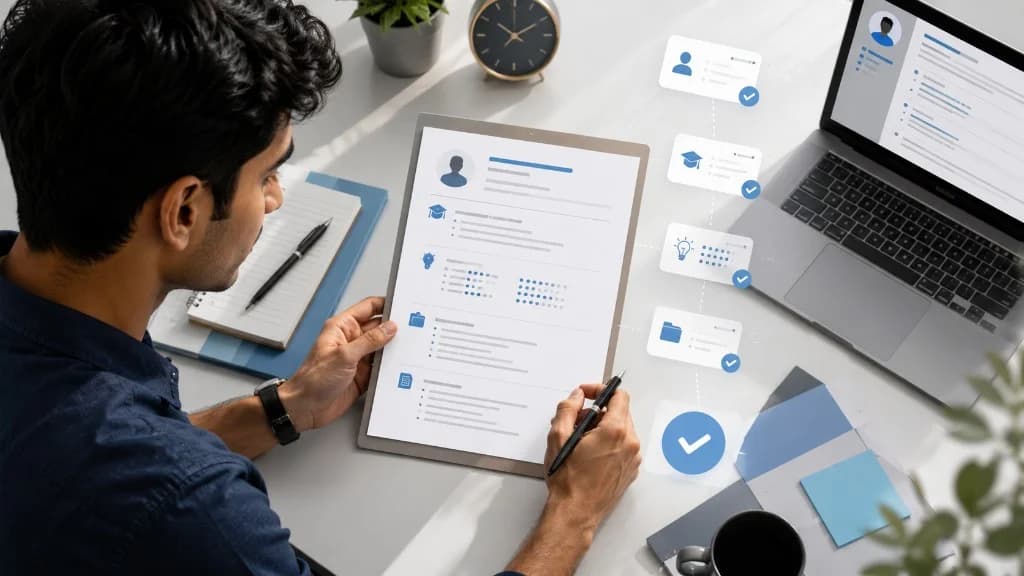
Quick Answer: Best Resume Format for Freshers
The best resume format for freshers in India is a clean, single-column, reverse-chronological structure. Because first-time job seekers and college students have limited full-time work experience, this format highlights your educational background, categorized technical and core skills, academic projects, internships, and relevant certifications in a logical sequence. It allows recruiters to evaluate your potential in seconds while ensuring that Applicant Tracking Systems (ATS) can parse your information without layout errors.
Recommended Fresher Resume Structure
For campus placement drives and off-campus entry-level applications, the reverse chronological resume format for freshers is the standard across Indian IT firms, engineering companies, startups, and corporate employers. It lists your most recent education, projects, and internships first, presenting a clear timeline of your academic and technical journey.
A professional resume format for freshers—whether built in a document editor or using a clean resume template for freshers—should follow this standard Indian fresher resume format:
- Contact Information Header: Name, target job title, phone number (+91), email, location, LinkedIn, and GitHub/portfolio.
- Fresher Resume Summary: A 2–3 line overview of your degree, key technical proficiencies, major project, and target role.
- Education: Degree, college, university, graduation year, and CGPA or percentage.
- Technical and Core Skills: Organized by category (Languages, Frameworks, Tools, Databases).
- Academic and Personal Projects: 2–3 substantial projects with tech stack, your contribution, and measurable results.
- Internships and Practical Experience: Role, organization, duration, and bullet points detailing specific contributions.
- Certifications and Achievements: Industry certifications, hackathons, coding ratings, and academic honors.
Section order can adapt to your background. If you have completed a meaningful 3–6 month technical internship with production deliverables, place Experience above Education. If your strongest qualifications are academic coursework and college projects, keep Education directly beneath your summary.
How to Write Each Resume Section
Each section of your simple resume format for freshers should deliver clear, verifiable evidence of your capabilities.
1. Contact Details
Place your contact details in a clean header at the top of the page. Include your full name (16–18pt bold), target role (e.g., Associate Software Engineer | Full-Stack Trainee), phone number (+91), professional email ([email protected]), city and state, and direct links to your LinkedIn profile and GitHub or technical portfolio.
Omit personal details like your photograph, date of birth, gender, marital status, religion, and father's name. Modern corporate screening workflows consider these bio-data fields obsolete and irrelevant to hiring decisions.
2. Fresher Resume Summary
Avoid outdated 'Career Objective' statements that describe what you want from the company. Instead, write a 2–3 line fresher resume summary stating your qualifications, core tools, project proof, and target role.
Summary Example: Final-year B.Tech Computer Science student with practical proficiency in Java, React.js, and SQL. Built a full-stack campus management portal used by 300+ students and completed a 3-month web development internship. Seeking an Associate Software Engineer role to build scalable applications.
For role-specific summaries across engineering, finance, marketing, and data roles, explore our comprehensive guide on resume summary examples for freshers.
3. Education
List your degree, college name, affiliated university, graduation month/year (e.g., Expected July 2026), and CGPA or percentage. You may include 4–6 relevant subjects (such as Data Structures, Database Systems, Computer Networks, or Operating Systems) when applying for specialized technical positions.
4. Technical & Core Skills
Categorize your technical skills for resume for freshers into logical groups so recruiters can scan them effortlessly:
- Programming Languages: Java, Python, C++, TypeScript, SQL
- Frameworks & Web: React.js, Node.js, Express, Spring Boot, Tailwind CSS
- Databases & Tools: PostgreSQL, MySQL, Git, GitHub, Docker, Postman, Linux
- Core Concepts: Data Structures & Algorithms, OOP, REST APIs, Agile Methodology
List only technologies you understand and can confidently explain during technical interviews.
5. Academic & Personal Projects
A well-structured project for resume for freshers serves as your primary proof of work. Include 2–3 substantial capstone, hackathon, or self-built projects using this 5-part structure: Project Name, Tech Stack, Problem/Objective, Your Contribution, and Measurable Outcome.
Project Example: Campus Event Management Portal | React.js, Node.js, PostgreSQL • Developed a full-stack web application for automated college hall bookings and event approvals. • Built responsive frontend interfaces and secure REST APIs with JWT authentication for 500+ student users. • Optimized database query indexing, reducing search retrieval time during peak campus festival registrations. • Repository: github.com/yourhandle/campus-event-portal
6. Internship & Practical Experience
If you have completed an internship, apprenticeship, or freelance engagement, format it with your role title, company name, location, and dates. Use active bullet points that describe the context, tools used, and direct output:
Experience Bullet Example: Collaborated with a 4-member engineering team to develop reusable React components, fixing 15+ reported UI bugs and improving portal load responsiveness during sprint testing.
If you have not completed an internship, do not pad the document with filler. Expand your project descriptions to demonstrate practical technical execution.
7. Certifications & Achievements
Include verified credentials that add real value: NPTEL Elite certifications, AWS Cloud Practitioner, Oracle Java, competitive programming milestones (e.g., 300+ LeetCode problems solved), hackathon placements, or academic department ranks.
One-Page Resume and Layout Guidance
For most graduates seeking an entry level resume format, a one page resume for freshers is ideal. It forces you to select your strongest credentials and makes review effortless during fast-paced recruitment drives.
However, a one-page format is not an absolute requirement. A two-page resume is acceptable when you have substantial, genuine content to present, such as multiple 3–6 month technical internships, published research papers, complex open-source projects, or dual-degree coursework.
Follow these layout guidelines for a clean, readable resume format for first job applications:
- Layout: Clean single-column structure from top to bottom.
- Margins: 0.5 to 0.75 inches on all sides.
- Typography: Standard fonts like Calibri, Arial, Helvetica, Georgia, or Times New Roman.
- Font Hierarchy: 16–18pt for your name, 12–14pt for section headings, and 10–11pt for body text.
- Line Spacing: 1.0 to 1.15 to maintain comfortable reading density.
ATS-Friendly Resume Format for Freshers
Many employers and placement portals use Applicant Tracking Systems to organize and parse incoming applications. Creating an ats friendly resume for freshers requires simple formatting rather than complicated tricks.
Follow these practical guidelines for an ats resume format for freshers:
- Standard Section Headings: Use conventional titles like 'Education', 'Technical Skills', 'Projects', and 'Experience' so parsers recognize each section correctly.
- Selectable Text: Ensure all text in your document can be highlighted, copied, and searched. Never upload an image or scan.
- Avoid Visual Gimmicks: Do not use graphical rating stars, skill progress bars, icons, or floating text boxes, as they can cause text parsing errors.
- Consistent Date Formatting: Use uniform date formats (e.g., 'Jan 2026 – May 2026' or '01/2026 – 05/2026') across all sections.
- Natural Role Terminology: Use standard skill terms (e.g., 'React.js', 'PostgreSQL', 'Python') in context with your projects rather than unorganized keyword lists.
For a complete technical checklist on document formatting, review our guide on the ATS-friendly resume checklist.
Resume Format for IT and Engineering Freshers
While the structural foundation remains consistent, your section emphasis should reflect your academic discipline.
When drafting a resume format for it freshers, prioritize programming languages, web frameworks, database systems, active GitHub repositories, deployed application links, and competitive programming profiles. For deep role terminology, see our software engineering resume keywords guide.
For a resume format for engineering freshers in core branches (Mechanical, Civil, Electrical, Electronics, Chemical), emphasize domain-specific software (AutoCAD, SolidWorks, MATLAB, ANSYS, Embedded C), laboratory proficiencies, capstone hardware/simulation projects, and industrial site training.
If you are preparing for large-scale campus hiring assessments, consult our specialized TCS NQT fresher resume guide for company-specific insights.
PDF vs DOCX File Format Guidance
Always follow the file format requested by the employer's application portal first. When no specific format is specified, a resume format pdf for freshers is generally recommended because PDFs preserve your fonts, margins, and section spacing identically across all operating systems and devices.
Before uploading your file, verify three essentials:
- Copy-Paste Check: Select all text in your PDF, copy it, and paste it into Notepad to ensure sections appear in logical reading order.
- Link Check: Click your LinkedIn, GitHub, and portfolio links to confirm they open the correct URLs.
- File Naming: Save the document with a professional name like FirstName_LastName_Resume.pdf instead of generic titles like Resume_v3.pdf.
Common Mistakes and Final Checklist
Avoid these common errors that frequently lead to entry-level application rejections:
- Generic Career Objectives: Writing self-focused paragraphs instead of a value-driven summary.
- Unrealistic Skill Dumping: Listing 15+ languages without project bullets demonstrating their use.
- Weak Project Descriptions: Writing 'Built a website' instead of detailing tech stack, contribution, and outcome.
- Fabricated Experience: Claiming unverified skills or metrics that cannot be defended in technical rounds.
- Outdated Personal Declarations: Adding unnecessary declaration paragraphs, signatures, or marital status.
- Keyword Stuffing: Copying job description phrases repeatedly in unreadable formats.
- Unprofessional Email & Formatting: Using casual email addresses or submitting files with inconsistent fonts and spelling errors.
Before submitting your application, review this 10-point verification checklist:
- Contact information is accurate with professional email and country code (+91)
- LinkedIn and portfolio links are active and functional
- Summary is 2–3 concise lines focusing on skills, background, and target role
- Education details include exact degree, college, graduation year, and score
- Technical skills are categorized and reflect genuine knowledge
- At least 2 substantial academic or personal projects are clearly documented
- Single-column, reverse-chronological layout with consistent typography
- Spelling and grammar have been thoroughly verified
- PDF file passes the copy-paste plain text readability test
- File is named professionally (e.g., FirstName_LastName_Resume.pdf)
To tailor your resume structure for a specific job posting, read our step-by-step guide on how to tailor your resume to a job description.
FAQ
Frequently Asked Questions
Related reading on GyanBatua
Explore related guides to strengthen your resume and placement strategy:
Is your resume good enough?
Drop your resume here or . PDF & DOCX only. Max 5MB file size.
Resume guides
Related Resume Guides
About the Author
Vice President at Mobiloitte
Vice President at Mobiloitte, focusing on AI-first digital initiatives, resume optimization engines, and placement outcomes.
Pricing
Choose your plan and get started faster
Compare features, pricing, and usage clearly, then pick the plan that fits your goal.
Next step
Check your resume against a real job description
See JD match, keyword visibility, and skill gaps before you apply.
Related reading
13Recent articles
6