

Resume Formatting Mistakes That ATS Systems Quietly Reject
Overview: Some formatting choices look modern but quietly break ATS parsing. Here is what to avoid — and what to use instead.

Introduction
Some resume formatting choices look beautiful to a human and confuse a parser.
Most candidates do not know which is which. That is a problem, because the parser sees your resume first.
Here are the formatting choices that consistently cause problems — and what to use instead.
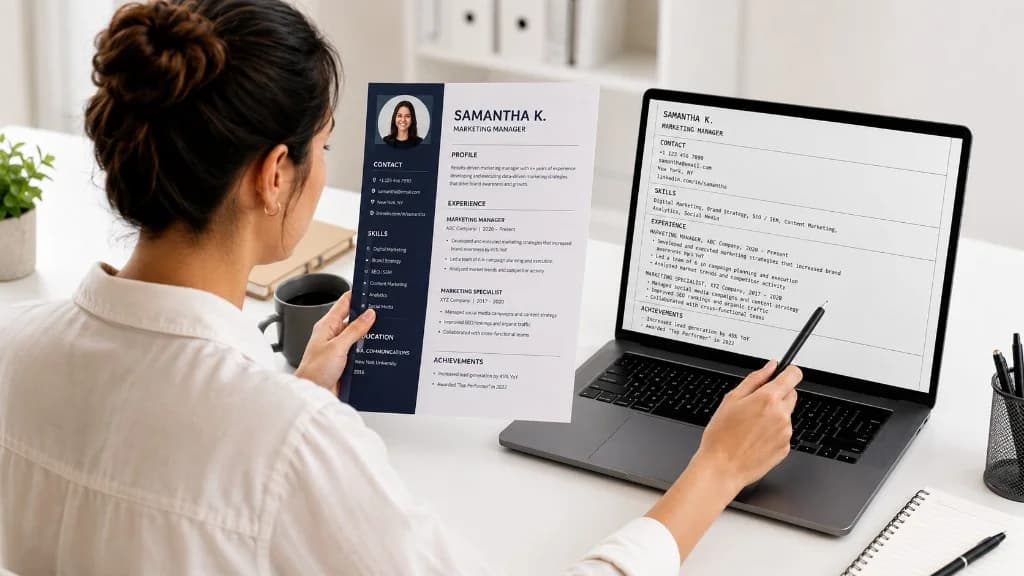
1. Multi-column layouts
Two-column or three-column templates look elegant.
ATS often reads them in the wrong order. Your skills end up halfway through your education. Your contact details land inside an experience entry.
Use a single-column layout. The slightly less designed look is worth being readable.
2. Tables
Tables are useful for laying out information visually.
ATS often cannot extract content from inside table cells correctly. Whatever you put in a table may not appear in the parsed resume the recruiter searches.
Use plain headings and indented bullets instead.
3. Text boxes
Text boxes are designer tricks for putting content in specific positions.
Most ATS ignores them entirely. Anything in a text box may not be visible to the system at all.
Put critical content in the main text body, not in floating elements.
4. Headers and footers
Many candidates put their name and contact details in the header.
Some ATS does not parse content in headers and footers. Your contact details disappear from the recruiter's view of your application.
Put your name and contact details in the main body at the top of the page.
5. Graphics, icons, and images
An icon next to your phone number does not make your resume more ATS-friendly. It makes it harder to parse.
Anything inside an image — including text — is invisible to the parser. Stick to plain text for anything you want the system to read.
6. Non-standard fonts
Standard fonts — Arial, Calibri, Times, Helvetica, Georgia — parse cleanly.
Decorative fonts can render as garbage characters depending on the parser. Stick to common fonts. Save creative typography for portfolio sites, not your resume.
7. Unusual section headings
"My Story." "What Drives Me." "Adventures."
These do not parse as standard sections. The parser does not know whether they are work, education, or something else, so it categorizes them poorly — or not at all.
Use standard section names. Education. Experience. Skills. Projects. Certifications. Boring works.
What good ATS formatting looks like
Single column. Standard fonts. Standard section headings. Plain text contact details at the top. Bullets for experience. No tables, no text boxes, no images for critical content.
It does not have to be ugly. It does have to be readable to a machine that is reading thousands of resumes.
Related reading on GyanBatua
Go deeper on ATS and screening:
Is your resume good enough?
Drop your resume here or . PDF & DOCX only. Max 5MB file size.
Resume guides
Related Resume Guides
About the Author
Full Stack Software Engineer at Mobiloitte
Full Stack Software Engineer at Mobiloitte, helping freshers navigate placement prep and software workflows.
Pricing
Choose your plan and get started faster
Compare features, pricing, and usage clearly, then pick the plan that fits your goal.
Next step
Check your resume against a real job description
See JD match, keyword visibility, and skill gaps before you apply.
Related reading
8Recent articles
6